

There are abnormal activities with your account. It has been suspended 100% Working Tricks.
दोस्तों अगर आप फ्री फायर खेलते हो तो आपको पता ही होगा की फ्री फायर में रोजाना कोई न कोई दिक्कत आता रहता है। अभी कुछ दिन पहले ob32 अपडेट आया था उसके बाद काफी सरे लोग के id में यह दिक्कत आ रहा है There are abnormal activities with your account. It has been suspended. और इसके बाद आप अपने id से फ्री फायर नहीं खेल प् रहे हो। आपका free fire id open ही नहीं हो रहा। तो दोस्तों आपको घबराने की कोई जरुरत नहीं है अगर आपके free fire id में There are abnormal activities with your account. It has been suspended का दिक्कत आ रहा है तो इस पोस्ट में इसे ठीक करने की पूरी जानकारी दूंगा तो आप इस पोस्ट को पूरा पढ़े।

There are abnormal activities with your account it has been suspended meaning in hindi:-
आपके खाते में असामान्य गतिविधियां हैं, इसे निलंबित कर दिया गया है।
there are abnormal activities with your account it has been suspended meaning in tamil:-
உங்கள் கணக்கில் அசாதாரண செயல்பாடுகள் உள்ளன, அது இடைநிறுத்தப்பட்டுள்ளது
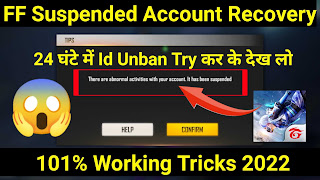
There are abnormal activities with your account. It has been suspended Solution :-
दोस्तों There are abnormal activities with your account. It has been suspended को ठीक करने के लिए मैं आपको दो तरीका बताऊंगा। जिससे आपका There are abnormal activities with your account. It has been suspended प्रॉब्लम का solution मिल जाएगा।
There are abnormal activities with your account. It has been suspended ठीक करने के पहले तरीका :-
There are abnormal activities with your account. it has been suspended help:-


Step to Solve There are abnormal activities with your account. It has been suspended Problem:-
- Select Free fire.
- Enter free fire id.
- Enter Free Fire in game name.
- choose type of request - game concers.
- Select the type of problem - technical issue.
- paste Copy Text .
- Add Screenshot.
- Click Submit Button.


43 टिप्पणियाँ
nice information
जवाब देंहटाएंHello
हटाएंDear garena team
My Free Fire I'd Ban l Only Used Hack Application Which Is Only Used For Fun 1 Didn know Because Of This My Free Fire I'd Ban I Request You My I'd be Unbanned and in future I Will not Do any such mistake 😰😰😰😰😰😰😰😰😰😰😞😞😞😞😰
I am waiting
I'd 2668736154
Game ka name Sᴋ᭄AHIR♬♬♬
meri madad karo please
Galti to Insan se Na hota hai
Ek mauka to Milana chahie
Hey ,
हटाएंI am a garena Free Fire player and I had been playing this game since 2018.
Recently, my account got suspended due to some reasons, but I think the system has done some mistake.
I haven't used the hack or script, so please recover my account.
And even I haven't got any last warning!
My UID:- " 1589912642 "
In Game Name :- " Gs ltachi "
Hello,
हटाएंTEAM FREE FIRE INDIA,
My ID Was suspended When I Was Playing The Game, I Haven't Done Anything Wrong And I Am Sure That I Have Followed Your Rules Of Conduct, And I Am Sure That By Mistake You Have Suspended My Account For No Valid Reason, This is my Humble Request to Free Fire Team To Unban My Account.1018479910
thanks
जवाब देंहटाएंHello
जवाब देंहटाएंDear garena team
My Free Fire I'd Ban l Only Used Hack Application Which Is Only Used For Fun 1 Didn know Because Of This My Free Fire I'd Ban I Request You My I'd be Unbanned and in future I Will not Do any such mistake 😰😰😰😰😰😰😰😰😰😰😞😞😞😞😰
I am waiting
I'd 2668736154
Game ka name Sᴋ᭄AHIR♬♬♬
meri madad karo please
Galti to Insan se Na hota hai
Ek mauka to Milana chahie
Khula kya ff
हटाएं😥😥😥
हटाएंinstagram ID @notesword_gaming_20k massage Karo bro
हटाएंPlease
जवाब देंहटाएंHello
जवाब देंहटाएंDear Garena team
My free I'd suspended l am only used winzo gold top up 660
Home the open your account suspended
My request my account unsuspend
I don't no hack use
Free fire name up ke king
Free fire ID [2092341517
As such, we adopted a zero-tolerance policy, any account found guilty will be permanently suspended and is final.
जवाब देंहटाएंWhile we do have proof
Hello,
जवाब देंहटाएंTEAM FREE FIRE INDIA,
My ID Was suspended When I Was Playing The Game, I Haven't Done Anything Wrong And I Am Sure That I Have Followed Your Rules Of Conduct, And I Am Sure That By Mistake You Have Suspended My Account For No Valid Reason, This is my Humble Request to Free Fire Team To Unban My Account.
Player Name : FF GAMER 2
ID: 1490100881
Hello,
जवाब देंहटाएंTEAM FREE FIRE INDIA,
My ID Was suspended When I Was Playing The Game, I Haven't Done Anything Wrong And I Am Sure That I Have Followed Your Rules Of Conduct, And I Am Sure That By Mistake You Have Suspended My Account For No Valid Reason, This is my Humble Request to Free Fire Team To Unban My Account.
Player Name : EVIL SUHAIL
ID: 2105030997
PLEASE SIR HELP ME I LOVE FREE FIRE TOO MU CH
Hello,
जवाब देंहटाएंTEAM FREE FIRE INDIA,
My ID Was suspended When I Was Playing The Game, I Haven't Done Anything Wrong And I Am Sure That I Have Followed Your Rules Of Conduct, And I Am Sure That By Mistake You Have Suspended My Account For No Valid Reason, This is my Humble Request to Free Fire Team To Unban My Account.
Player Name :Evil Suhail
ID: 2105030997
My ID Was suspended When I Was Playing The Game, I Haven't Done Anything Wrong And I Am Sure That I Have Followed Your Rules Of Conduct, And I Am Sure That By Mistake You Have Suspended My Account For No Valid Reason, This is my Humble Request to Free Fire Team To Unban My Account.
हटाएंHello,
जवाब देंहटाएंTEAM FREE FIRE INDIA,
My ID Was suspended When I Was Playing The Game, I Haven't Done Anything Wrong And I Am Sure That I Have Followed Your Rules Of Conduct, And I Am Sure That By Mistake You Have Suspended My Account For No Valid Reason, This is my Humble Request to Free Fire Team To Unban My Account.
Hello,
जवाब देंहटाएंTEAM FREE FIRE INDIA,
My ID Was suspended When I Was Playing The Game, I Haven't Done Anything Wrong And I Am Sure That I Have Followed Your Rules Of Conduct, And I Am Sure That By Mistake You Have Suspended My Account For No Valid Reason, This is my Humble Request to Free Fire Team To Unban My Account.id1758452648 name es aman
Hello,
जवाब देंहटाएंTEAM FREE FIRE INDIA,
My ID Was suspended When I Was Playing The Game, I Haven't Done Anything Wrong And I Am Sure That I Have Followed Your Rules Of Conduct, And I Am Sure That By Mistake You Have Suspended My Account For No Valid Reason, This is my Humble Request to Free Fire Team To Unban My Account.
Player Name : GO ଅନୁଭବ
ID: 1405674059
Hello,
जवाब देंहटाएंTEAM FREE FIRE INDIA,
My ID Was suspended When I Was Playing The Game, I Haven't Done Anything Wrong And I Am Sure That I Have Followed Your Rules Of Conduct, And I Am Sure That By Mistake You Have Suspended My Account For No Valid Reason, This is my Humble Request to Free Fire Team To Unban My Account.
Player Name : §༺Panda☞
ID: 1673876724
My ID Was suspended When I Was Playing The Game, I Haven't Done Anything Wrong And I Am Sure That I Have Followed Your Rules Of Conduct, And I Am Sure That By Mistake You Have Suspended My Account For No Valid Reason, This is my Humble Request to Free Fire Team To Unban My Account.
हटाएंYD么सोनियाツ
Iud 2613330017
जवाब देंहटाएंMy ID Was suspended When I Was Playing The Game, I Haven't Done Anything Wrong And I Am Sure That I Have Followed Your Rules Of Conduct, And I Am Sure That By Mistake You Have Suspended My Account For No Valid Reason, This is my Humble Request to Free Fire Team To Unban My Account.
Player Name :
ID: 2352179555
Please my free fire account Refund
जवाब देंहटाएंHello sir pleas Mera uid lota dijiy
जवाब देंहटाएंUNKNOWN
जवाब देंहटाएं5 मार्च 2022 को 12:37 am
My ID Was suspended When I Was Playing The Game, I Haven't Done Anything Wrong And I Am Sure That I Have Followed Your Rules Of Conduct, And I Am Sure That By Mistake You Have Suspended My Account For No Valid Reason, This is my Humble Request to Free Fire Team To Unban My Account.591924869
UNKNOWN
जवाब देंहटाएं5 मार्च 2022 को 12:37 am
My ID Was suspended When I Was Playing The Game, I Haven't Done Anything Wrong And I Am Sure That I Have Followed Your Rules Of Conduct, And I Am Sure That By Mistake You Have Suspended My Account For No Valid Reason, This is my Humble Request to Free Fire Team To Unban My Account.
Hello.
जवाब देंहटाएंTeam FREE FIRE INDIA,
My I'd was suspended when I was playing the Game I havent Done Anything wrong And I am Sure That I Have Follwed your Rules of conduct And I am Sure That By Mistake you Have Suspend My Account For No Valid Reason you can Check My KD, head shot rate I am normal player please check once My Account. This is My Humble request to Free Fire team to unban My Account.
2781565544 this id it's a abnormal subpance.pls remove this abnotmal in this id
जवाब देंहटाएंजज्जक
हटाएंजज्जक
हटाएंHella.
जवाब देंहटाएंTEAM FREE FIRE
My ID Was suspended Whon I Was Playing
The Game. I Havent Done Anything Wrong
And I Am Sure That I Have Followed Your
Rules Of Conduct, And I Am Sure That By
Mistake You Have Suspended My Account For
No Valid Reason. This is my Humble Request
to Fnee Fire Team To Unban My Account.
Player Name: ����༒ՏᏟᎪᎡᎽ.ᎠᎬᎠ
ID 3827929895
I can't play the game. For this your help is needed. Please help
जवाब देंहटाएंPlease help me
हटाएं
जवाब देंहटाएंMy Free Frie Account has been Suspend due to abnormal activities.Yes l accepted, lm' using Skin Tool in my account, but l'm using that for,i never thinked to account has been suspended.l would never make a such mistake again please Unsuspend my account as soon as possible please Kareena wala bhaiya Mera id de dijiye bahut pareshani ho raha hai bahut Paisa kharch Kiya pata nahin ham kahin pagal Na Ho jaaye please mera id de dijiye aapse request hai hath jodkar Mera ID wapas kar dijiye aap kabhi Aisa galti nahin karenge please ek bar chance dijiye please garena wala bhaiya Mera ID return kar dijiye aap yah galti kabhi nahin hoga please bahut Paisa kharch kiye Bor ho raha hai please mera id de dijiye ham apna id number de rahe hain dekh lijiye yah ID Sahi kar dijiye please please mera ID wapas kar dijiye id number 2636469632
Unban My Account.
हटाएंI’d number 1698076425
I’d name ༆❤︎ɴᴀʀᴘᴀᴛ❤︎༆
Free fire account suspended (22/10/2022)please. unsuspend my account hack name - skin tool. UID - 1973891853 Thanks
जवाब देंहटाएंPinki Raja Bagdi
जवाब देंहटाएं4527170123
हटाएं25 Jan 2023 ko 5:47
जवाब देंहटाएंHello,
TEAM FREE FIRE INDIA,
My ID Was suspended When I Was Playing The Game, I Haven't Done Anything Wrong And I Am Sure That I Have Followed Your Rules Of Conduct, And I Am Sure That By Mistake You Have Suspended My Account For No Valid Reason, This is my Humble Request to Free Fire Team To Unban My Account.
Player Name : ₹#kingyt₹#
ID: 4527170123
please mari madad karo mari id unsuspend karva do uid 2093353581
जवाब देंहटाएंHello,
जवाब देंहटाएंTEAM FREE FIRE INDIA,
My ID Was suspended When I Was Playing The Game, I Haven't Done Anything Wrong And I Am Sure That I Have Followed Your Rules Of Conduct, And I Am Sure That By Mistake You Have Suspended My Account For No Valid Reason, This is my Humble Request to Free Fire Team To Unban My Account.
Player Name : Mr.Shoaib
ID: 2579642699
PLEASE SIR HELP ME I LOVE FREE FIRE TOO MU CH
garena help
जवाब देंहटाएंHello
Dear garena team,
My Free Fire I'd Ban I Only Used hack Application which Is Only Used For Fun 1 Didn't Know Because Of This My Free Fire I'd Ban I Request You My I'd be unbanned and in future I will not do any such mistake
I am waiting 1286286967
Name ᴮᴺꨄᏴᴀᴀᴢɪɢᴀᏒ♤
亗RED_444+✓
जवाब देंहटाएंI am a free fair player .i am 13+year old and l been playing free fair to for two and a half years but the gameplay I use to play with free fair id has now been suspended my free fair id was created with a facebook account but without my permission hacker hacked my Facebook ID then logged in free fire ID and use head shot hack.mybe that's why my free fair id has been suspended my sincere request to you gerina team please unsuspended my free fair id 3222527191. game name亗RED_444+✓.
please uban my id gerena💦😭😪